


Muhimmati
For children aged 5–11

A mission for your child.
An adventure away from the screen.

Your child chooses a mission, tries it in the real world, and you confirm completion.

Muhimmati is a real-world mission guide for children.

  • The free plan includes one active child.
  • You choose what fits. Their collection stays in the family.
  • Download links will appear here when available.

How it works

  1. Choose a mission

    From missions that suit their age and your choices, with steps and materials.

  2. Try it in your world

    The device prepares the mission. The activity happens in the world around them.
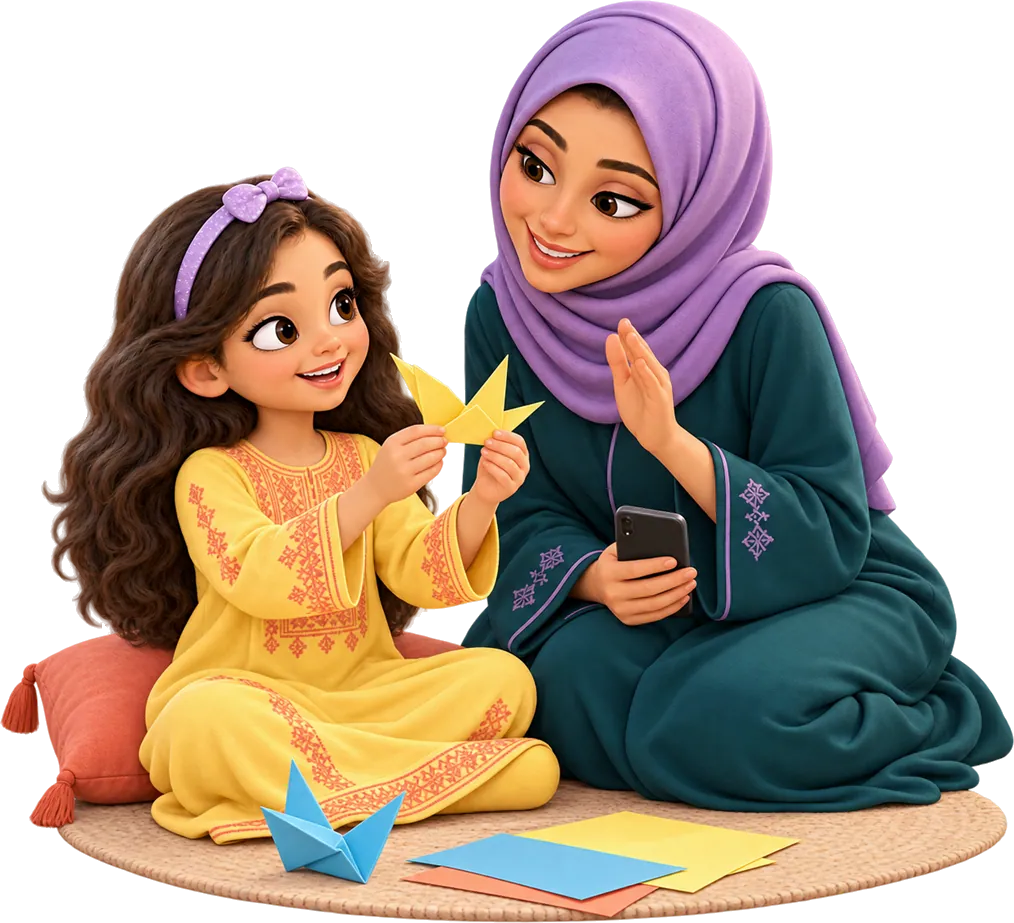
  3. Come back with a story

    They share what they did, and you confirm the mission is complete.

For parents

Room for their curiosity. A clear role for you.

Your time, the materials you have, and outdoor activity: choices you make before they start.

  • Missions that fit your day

    A guardian can limit mission type, outdoors, camera, time, and materials.

  • Completion needs your confirmation

    A guardian confirms completion.

  • Family stories stay in the family

    The child's collection is private to the family.

A mission for every curiosity

What shall we do today?

Examples from the mission content: clear time, known materials, and a role for you.

Choose a category to explore
Discover

Three Different Leaves

Discover differences between fallen leaves without picking plants.

Age band
5–7
Estimated time
15 minutes
Materials
No materials to prepare
Guardian’s role
Present and taking part
See a mission step by stepAn example from the mission content, with a category illustration. Availability in the app depends on your child’s age and guardian settings.
Make

Fold a Sheet

Turn a flat sheet into a neat fold.

Age band
5–7
Estimated time
10 minutes
Materials
A sheet of paper
Guardian’s role
Nearby to help
See a mission step by stepAn example from the mission content, with a category illustration. Availability in the app depends on your child’s age and guardian settings.
Experiment

Make Water Ripples

Compare still water with water after moving a spoon.

Age band
8–9
Estimated time
15 minutes
Materials
Plastic bowl, Spoon, Water, Tray, Cloth
Guardian’s role
Present and taking part
See a mission step by stepAn example from the mission content, with a category illustration. Availability in the app depends on your child’s age and guardian settings.
Move

Ten Steady Steps

Explore your walking on a short path.

Age band
8–9
Estimated time
10 minutes
Materials
No materials to prepare
Guardian’s role
Present and taking part
See a mission step by stepAn example from the mission content, with a category illustration. Availability in the app depends on your child’s age and guardian settings.
Help

Help One Item Find Its Place

Choose one small act of help with your family.

Age band
5–7
Estimated time
10 minutes
Materials
No materials to prepare
Guardian’s role
Present and taking part
See a mission step by stepAn example from the mission content, with a category illustration. Availability in the app depends on your child’s age and guardian settings.
Ask

One Curious Question

Ask a family member about something you want to understand.

Age band
10–11
Estimated time
15 minutes
Materials
No materials to prepare
Guardian’s role
Present and taking part
See a mission step by stepAn example from the mission content, with a category illustration. Availability in the app depends on your child’s age and guardian settings.
Grow

Plant a Seed Today

Prepare a place for a seed and finish when it is planted.

Age band
8–9
Estimated time
15 minutes
Materials
Bean seeds, Plastic cup, Cotton, Water, Tray
Guardian’s role
Present and taking part
See a mission step by stepAn example from the mission content, with a category illustration. Availability in the app depends on your child’s age and guardian settings.
Observe

Watch the Sky

Notice colour and movement in the sky from shade.

Age band
10–11
Estimated time
10 minutes
Materials
No materials to prepare
Guardian’s role
Present and taking part
See a mission step by stepAn example from the mission content, with a category illustration. Availability in the app depends on your child’s age and guardian settings.
From a sheet of paper to “فعلتها بنفسي”

What does a mission actually involve?

An example from mission content for ages 5–7. Read the instructions and the guardian’s role before starting.

  1. Place a sheet on a table and have your guardian nearby to help.

  2. Bring one edge to the opposite edge. Match the corners as well as you can.

  3. Hold the paper with one hand and press the fold with the other. Open it to see the crease, then fold it again.

  4. Return to the app and take one photo of the folded sheet on the table. Show only the requested subject, without people, names, addresses or reflected faces.

After the activity, your child reflects

What changed when you folded the paper?

Then you confirm completion

The guardian confirms the child tried folding and the photo shows the folded sheet; precision is not required.

فعلتها بنفسي

A look inside Muhimmati

A little guide. A real adventure.

The phone or tablet prepares the mission. The activity happens off the screen.

Before the first adventure

A few things you may wonder…

Does my child spend the mission on a screen?

The phone or tablet helps them choose and prepare. The activity happens away from the screen. They then come back to share what they did and wait for a guardian’s confirmation.

Does every mission need a photo or recording?

Some missions need a photo, some need a short recording, and some need no capture.

What ages is Muhimmati for?

Children aged 5–11, in bands of 5–7, 8–9, and 10–11. A guardian chooses what suits their child, and each mission explains when a grown-up needs to stay nearby or help.

How does my child use the app?

Your child has a separate app that you approve and pair to their profile. They don’t need a password or an Apple or Google account. Apple or Google sign-in happens in the guardian app.

Can we start without a paid subscription?

The free plan includes one active child. The paid plan includes up to eight active children.

Is Muhimmati available in Arabic and English?

Yes, both apps support Arabic and English. Your child can also read a prepared mission’s instructions without an internet connection.

Start with the guardian app

Two apps. One family adventure.

You set up the beginning. Your child chooses from missions that fit.

The free plan includes one active child.

  1. 1

    Set up your family

    Sign in to the guardian app with Apple or Google and add your child’s profile. The free plan includes one active child.

  2. 2

    Pair the child app

    Open the child app, then approve its pairing code in the guardian app. Your child needs no password or Apple or Google account.

  3. 3

    Choose what fits your day

    Set time, materials, outdoor activity and camera use. Your child can then choose from suitable missions.

Guardian app

Start here: your family account, mission controls, and confirmation.

Child app

After family setup: missions, instructions, and pairing with your approval.